
It started as a two-syllable problem.
Co-founder Sandy Jen and her team were stuck. They needed a name. Simple rules. Two syllables. No prior baggage. Easy to spell. They brainstormed over lunch, then ran fifty candidates through a browser to see if they were already taken. Most were gone. One remained. Meebo won.
Now, years later, the logic holds up. The service is young. It’s free. It’s growing fast. And it solves a specific, annoying problem for anyone who has ever tried to chat with someone using a different platform.
Cross-Platform Chat Without the Software
You know the drill. You have AOL Instant Messenger (AIM). Your friend has Yahoo Messenger. Another contact uses Windows Live. They use Google Talk. Another uses Jabber. Or ICQ.
Trying to manage all those separate logins is a nightmare.
Meebo cuts through that mess. It launched in 2005, making it a kid compared to the giants. It lacks the deep feature sets of those legacy services. But it has one thing they never had: a universal bridge.
You register on the Meebo website. You sign in. You chat.
No downloads. No installations. No client software to update.
Your computer connects to a Meebo server. That server talks to your IM networks. The connection happens almost instantly. It uses a modified, optimized version of GAIM, an open-source client, to handle the heavy lifting.
The Numbers Don’t Lie
The formula is working.
Users send more than 100 million instant messages every single day through the platform. Nielsen//NetRatings called it the fastest-growing IM destination. Usage jumped 354 percent between August 2006 and June 2007.
It’s not just hype. The awards back it up. It won Web 2.0 awards in 2006 and 2007. Time magazine put it on their Top 50 coolest websites list in 2006. PC World named it one of the 100 best products in both 2006 and 2007.
Who Actually Uses It?
Most of the user base is 25 or younger.
But it’s not just college students.
Meebo has become essential for people in restricted environments. U.S. soldiers in Iraq use it to message home. Office workers use it to bypass firewall blocks that stop standard clients.
It’s global, too. U.S. users make up only 30 percent of the total. The service supports over 60 languages and dialects. The list of available languages is bizarrely inclusive. You can chat in Klingon. You can chat in Pig Latin.
Beyond Basic Text
Meebo isn’t just about sending text back and forth.
There are Meebo Rooms for private group chats. There’s Meebo Me, which lets you embed a chat widget on your own website. There’s Meebo Repeater for when access is restricted.
And there are games. And other applications.
It started as a way to connect broken protocols. It evolved into a hub.
The barrier to entry is zero. If you can access a web browser, you can talk to anyone.
Getting started is straightforward. But the implications are broader than just convenience. It represents a shift away from proprietary walled gardens. It’s a move toward a web-native communication layer.
Why does this matter?
Because the future of communication isn’t about which client you download. It’s about where the conversation happens. Meebo put the conversation in the browser.
It was messy in the beginning. The feature set was thin. The competition was entrenched.
But the growth was undeniable. The 354 percent spike wasn’t an anomaly. It was a signal.
People wanted to talk. They didn’t want to manage five different logins. They just wanted the message to get through.
The amoeba comparison is a joke from the founders. It stuck because it felt right. Small. Simple. Adaptable.
There’s no part number here. No section header telling you what comes next. Just the reality of


Getting started with Meebo is straightforward. The process begins with account creation and signing in. Once that is done, you can send instant messages or join Meebo rooms.
How to set up a Meebo account
Visit the Meebo website and click the Meebo box on the far right side of the page. Select “Sign up” to open the registration window. You must be at least 13 years old to use the service. If Meebo receives reliable information that you are younger, your account will be terminated immediately.
Enter an ID name and a password. Type the password again in the confirmation field and click “Next.”
The next screen asks for your full name. This information is not shared with other users. Enter your e-mail address, which is used only to send lost passwords. You can provide your gender and age if you wish, then click “Create Meebo Account.”
In the New Connection box, select your IM network. Examples include AIM or Yahoo. Enter your screen name and password for that network, then hit “Sign On.” Friends from that network are added to your Meebo list. You can add multiple IM networks and access buddies from all of them simultaneously.
You can use Meebo without creating an account by signing into one of the listed IM networks directly. However, this limits you. You will not be able to IM with friends using other networks if you skip the account creation step.
Go to Meebo and sign on. You can check “Sign in as invisible” to be online but appear offline to your buddies.
To sign off, click “Sign Off” at the bottom of the buddy list.
Configuring Meebo preferences and managing contacts
To add another IM network, click on the Accounts icon and then “Already a User.” Add the network with your screen name and password for it, and click “Sign On.”
The Preferences window lets you choose whether a sound plays when you send or receive an IM. You also can select a background for your screen and IM window from colors, or celebrity, rock group or fashion photos. And you can indicate whether you want emoticons (faces that show emotions) in your messages.
Understanding the buddy list and icons
Your buddy list to the far right shows the friends you can IM from the networks you’ve added. Here’s what each of the icons above the list does:
-
Yellow face with a plus sign – Click to add a buddy. Fill in the buddy’s name and network, and click “Add Buddy.” The buddy will receive and respond to a request to add you to his or her list. You’ll need to click “Accept” to be added. To create a new buddy group, right click on any group header and then “Add New Group.” Type a group name, and click “Add New Group.” Drop and drag buddy names into the new group folder.
-
Yellow face with minus sign – Highlight a buddy’s name, and click on this to remove the buddy from your list.
-
Talk bubble – Click to IM. Enter the buddy’s name and IM network, and a chat window will open. The buddy list shows status icons for friends and an offline section so you know who’s available.
-
Bubble and faces – Click to join or start a chat room.
-
Rectangle with an arrow – Click to create a pop-up buddy list.
-
Statement below the icons – Shows your availability. Click the triangle to change your status.
Not everyone is fond of Meebo. Trying to keep workers and students on task, employers and schools have blocked access to IM networks like AIM or Yahoo Messenger. About 35 percent of employees use IM at work, according to a 2006 survey by the American Management Association and the ePolicy Institute, and 50 percent of them download free IM tools off the Web. If access is blocked, workers and students may still be able to use Meebo to IM with their friends.
Meebo rooms and other features
Now that you know the basics, let’s find out more about features like Meebo rooms, chat logs and file sharing.


Simple instant messaging is boring. Meebo understood that early on. The platform didn’t just offer a chat box. It built an ecosystem. Meebo rooms, file sharing, and blocking tools gave users more control over their digital interactions. If you are still using basic IM, you are missing out on features that actually shape how you connect online.
Creating and Navigating Meebo Rooms
Group chat changed the game when Meebo launched this feature in May 2007. It wasn’t just about 1-on-1 text anymore. You could jump into existing rooms or build your own. Participation was flexible. You could be a full member or a guest. Guests didn’t need an account. They just needed a nickname.
The interface made discovery easy. Once logged in, a list of active rooms sat at the bottom of your page. There was also a Rooms icon at the top of the home page. Featured rooms highlighted participant counts and recent media activity. You could see images, videos, music, or links shared by others. This social proof encouraged participation.
Filtering was straightforward. Click a topic in the left-hand list to find content-specific rooms. Click a featured room to enter. If you are a guest, pick a nickname. If you are a user, you can change your display name. Then type a message. You are in.
Creating a private space required more setup. Sign in. Click “Create a Room.” Choose a unique name. Add a description. Personalize it with an icon and color. The real power lay in privacy settings. You could require a password. This kept the circle tight. You could even embed the room on external sites like MySpace or personal blogs. This turned your chat space into a destination, not just a sidebar widget.
Managing Chat History and Logs
Conversations disappear too quickly. Meebo let you save them. Go to Preferences. Toggle “Save IM history to view later.” Now, your chats persist.
Viewing past messages was a right-click operation. Find the buddy in your list. Right-click. Select “View Chat Logs.” This opened the archive. You could see what was said, when, and by whom.
There was no selective deletion. You couldn’t pick one bad message and remove it. You had to nuke the entire history with a buddy. Right-click the name again. Go to “View Chat Logs.” Click “X Delete All.” Confirm. Gone. It was a blunt instrument, but effective for clearing out clutter.
How Meebo File Sharing Limits Worked
Sending files was possible, but strict limits applied. Users could send up to 10MB per file. The monthly cap was 30MB. This was for sending and receiving. It wasn’t unlimited storage. It was a quick pass.
Files were temporary. They expired four hours after being sent. This wasn’t a bug. It was a design choice. The platform didn’t want to become a permanent file host. It wanted to be a messenger.
Compatibility was another hurdle. Safari users were out of luck. File sharing simply didn’t work in that browser. You needed a different browser to transfer data.
To send a file, double-click the recipient in your buddy list. Click “File Transfer.” Select the file in the upload window. Done. If you received a file, a notification appeared in the IM window. It showed the sender, filename, and size. Click the link to open or download. Again, you had four hours.
Blocking Unwanted Communications
You can’t always control who talks to you. Blocking was the solution. Click the buddy’s name. Select “Block [Name].” Click “Block” to confirm. The user moved to your offline list. They couldn’t reach you.
To unblock, find the name in the offline list. Select “Unblock.” Access is restored.
Blocking unknown senders was faster. When a stranger’s message appeared, click the Block icon in that window. Click OK. The sender is locked out. No more pop-ups.
These tools—rooms, logs, file sharing, blocking—defined the user experience. They made Meebo more than just IM. They made it a platform. Meebo Me, Meebo Mobile, and Meebo Repeater expanded this further. But the core interactions remained. Control. Privacy. Connection. The rest was just noise.
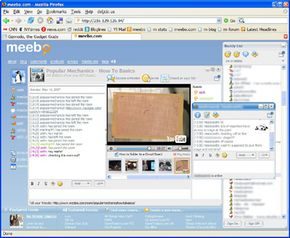

Embedding Chat with Meebo Me
If you run a blog or a personal site, letting visitors chat with you directly reduces friction. Meebo Me does exactly that. It drops a small Flash widget into your HTML. The result? A visible online indicator and an immediate chat window for anyone landing on your page.
It works almost anywhere. MySpace? Done. Friendster? Yes. WordPress and Blogger? Plug and play. Even salesforce.com supports it. You aren’t locked into a specific platform.
Here is how you set it up:
- Visit Meebo and generate the widget. You define the title, screen name, size, and color scheme.
- Input your Meebo ID and password.
- Copy the provided code snippet.
- Paste that code into your site’s HTML.
When a visitor lands there, they see the widget. They type a message. You get a notification on your main Meebo buddy list. It treats them as a new contact instantly. No friction. No separate login for them. Just a text box and a conversation.
Bypassing Network Restrictions with Meebo Repeater
Sometimes the office firewall blocks instant messaging. Or your school network does. Meebo Repeater handles this by using a relay.
It is downloadable software. You install it on a computer that has open internet access—like your home PC. This machine acts as a bridge. It takes traffic from a restricted device and bounces it through to Meebo servers.
Crucially, this isn’t a backdoor for hackers to access your home computer. The repeater only allows Meebo IM traffic. It tests the connection and spits out a specific URL. You use that URL to log in from the blocked location.
The signal is shifted. The restriction is ignored. You keep chatting.
Accessing Meebo from an iPhone
Meebo Mobile arrived in August 2007. It started with the iPhone. The company planned for more wireless devices later, but the initial release was solid.
Log in to Meebo Mobile. It uses your standard credentials. Your settings follow you. Your chat history remains intact. You can reach buddies across all your different IM networks from that single mobile interface.
It isn’t a standalone app in the modern sense. It’s a mobile-optimized web experience. But it works. You aren’t locked out just because you left your desk.
Development Driven by User Demand
Meebo didn’t start with a massive feature set. It launched as a lightweight tool. Co-founder Seth Sternberg told SEOmoz that user feedback became the company’s lifeblood.
After winning a 2006 Web 2.0 award, the strategy remained clear. Build what users ask for. The on-site blog keeps everyone posted. The forum collects requests. New features aren’t guessed at. They are extracted from the user base.
This approach keeps the product lean. It also ensures that the features people actually need get built first. Meebo expands based on that input. It is a responsive model.
For deeper context on the underlying technologies, look into how instant messaging protocols function. Or explore the mechanics of SMS and smartphone infrastructure. The ecosystem is interconnected. Meebo sits in the middle, bridging the gaps between networks and restrictions.