
Loss of data causes visceral panic. If you blink, your address book will disappear. Or you may have formatted the SD card thinking it was blank. That hollow feeling in your stomach? PhoneRescue Android aims to solve this problem. This is not magic. It is an advanced software tool specially designed for the fragmented world of Android devices. Dig deep into internal memory and external storage to recover files you thought were lost forever.
The appeal of the core is more than just restoration. It’s control. Unlike many competitors that save every byte to be restored to your hard drive, PhoneRescue Android lets you preview your files before committing. Look at the photo. Check the message. Only then can you click Restore. This selective approach prevents confusion. This keeps the recovery process clean and purposeful.
Why this tool is important for Android users
Android isn’t a monolith. It’s a chaotic ecosystem of Samsung, Pixel, Xiaomi and Huawei. Different manufacturers have different methods of skins the operating system. This diversity often compromises recovery tools. PhoneRescue Android is designed to avoid this fragmentation. Compatible with a wide range of devices from older models to the latest flagship models. The goal is simple. Its purpose is to recover messages, photos, videos, contacts without damaging the remaining data.
Safety is also the core of its design. This software ensures that active files are not tampered with during the recovery process. Even if your phone is locked because you forgot your password, this tool can help you. We offer solutions for broken or inaccessible devices. This is a big deal. If your phone is locked, it usually means that your data has been hijacked. PhoneRescue Android acts as a key if the underlying data is not overwritten.
How the recovery process actually works
The workflow is simple, but requires a computer. You cannot use the software directly on Android smartphones. Must be installed on Windows PC or macOS. There is no native version for Linux or iOS. If you have a Mac, you’re good to go. If you are on Linux, you are out of luck.
- **Download and install. ** Go to the official iMobie site or a trusted platform like Futura. Choose the version suitable for your computer’s operating system. Install it. Immediately. Low system requirements allow it to be used on most modern computers.
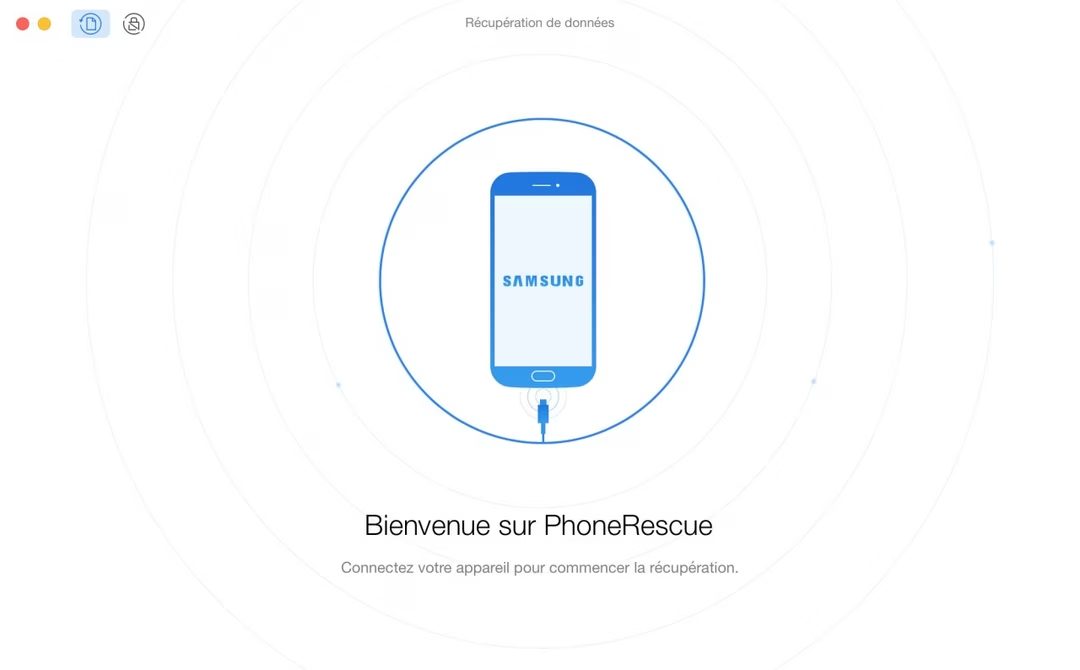
- **Connect your device. ** Use a USB cable. Connect your Android smartphone to the computer.
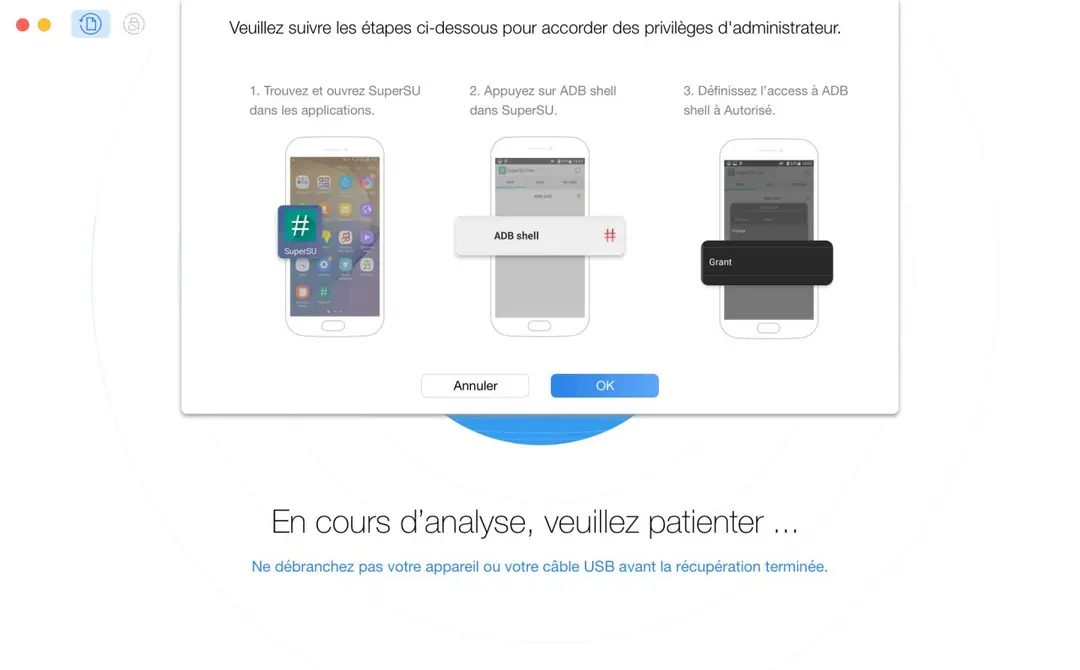
- **Enable USB Debugging. ** This is the hard part for non-technical people. You may need to enable developer options and turn on USB debugging in phone settings. This enables the software to communicate closely with the device. The user interface guides you through this. It’s not automatic, but it’s clear.
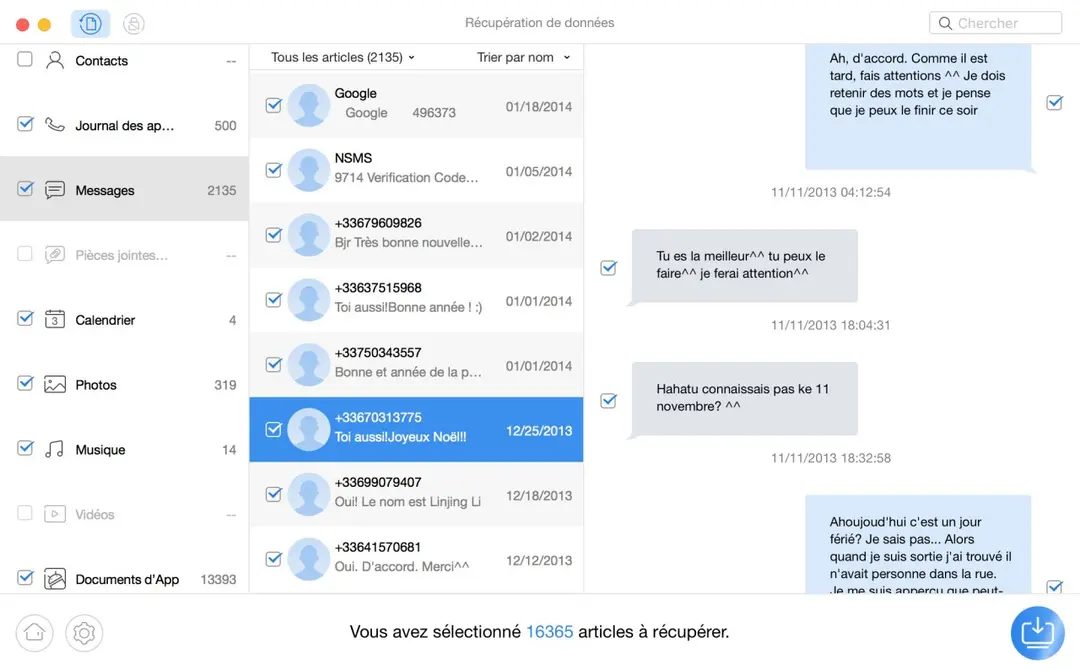
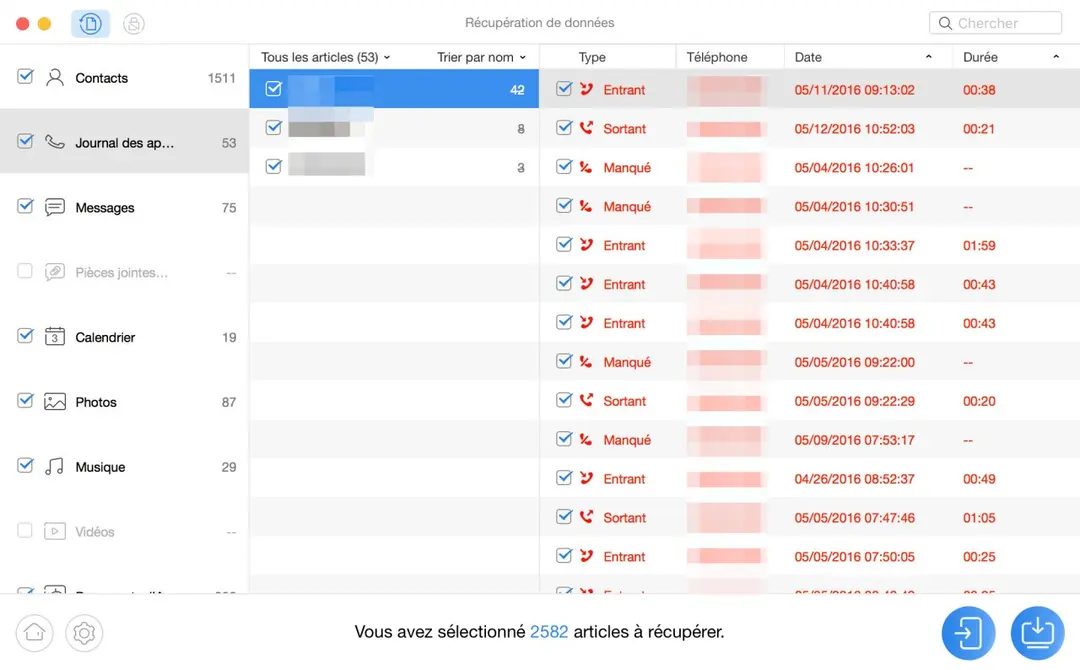
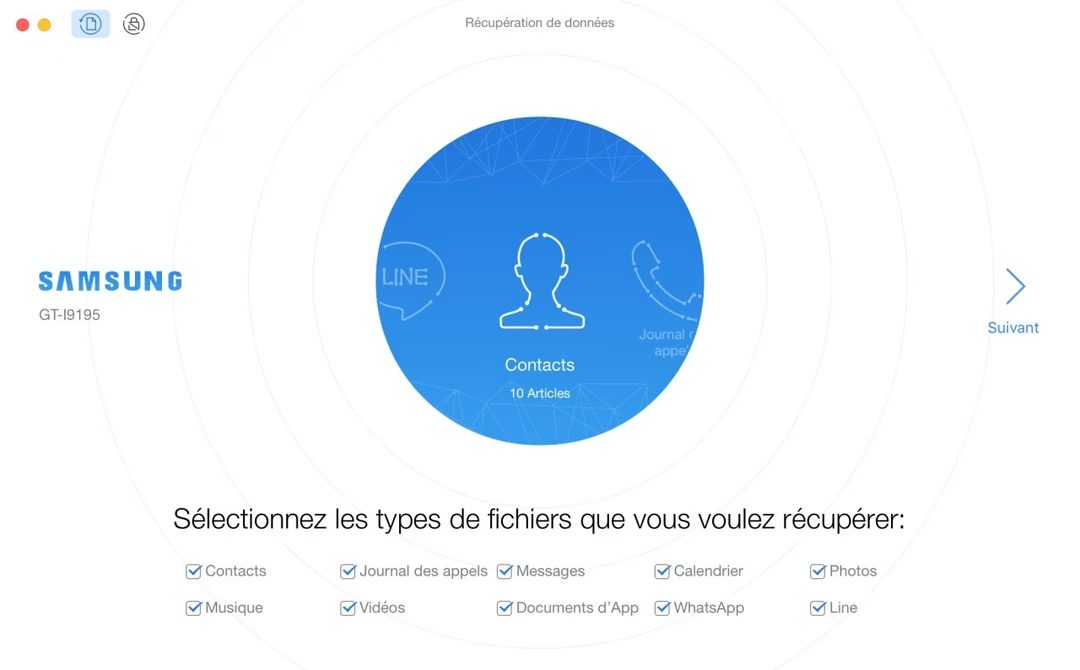
- **Scan and preview. ** The software analyzes the internal storage and the SD card. Find deleted or inaccessible files. This is where the preview function comes into play. Browse the results. A thumbnail of the photo will appear. Read a fragment of the message.
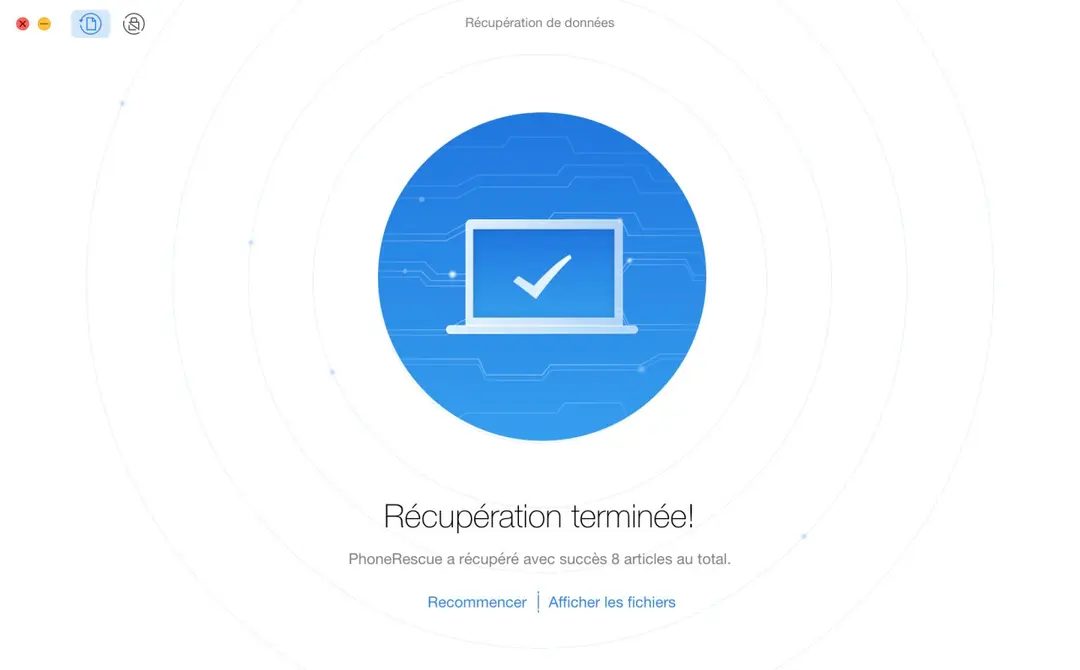
- **Recovery. ** Just choose what you need. Save it to your computer. Done.
This approach avoids the “shotgun” approach of other tools. Don’t waste space recovering junk data. You target exactly what was lost.
Compatibility and installation information
PhoneRescue Android claims wide compatibility. The main brands are Samsung, Xiaomi, Huawei, Sony and LG. Works with different Android versions. However, “widespread” doesn’t mean “universal”. Be sure to check the official list of supported devices. Manufacturers are changing the hardware architecture. A tool that works on a 2020 Galaxy might fail on 2024 models with different chipsets.
Installation is standard. Double-click the installer. Follow the instructions. This will take a few minutes. No complicated settings are required. The heavy lifting happens when the software connects to your phone. It relies on standard USB protocols enhanced by the debugging mode. If USB debugging is disabled, deep scanning may be limited or impossible.
Why It Stands Out from Competitors
Most recovery apps promise the world. They often deliver corrupted files or incomplete scans. PhoneRescue Android stands out for its transparency. The preview feature is not a gimmick. It’s a safeguard. You can be sure that you only recover what you need. Data integrity is respected.
Also consider the locked-phone scenario. If you forget your password, your data is trapped. Many tools give up at this point. PhoneRescue Android will try to bypass the lock. This is risky. It requires careful execution. If successful, the inaccessible data will be saved.
Is it perfect? No software is. However, it provides a structured and reliable data recovery path in case of accidental deletion, formatting errors or system crash. It doesn’t guess. It shows you what’s there. Then you decide.
The real test is always done on a specific device. The compatibility list has changed. Android updates make the old method obsolete. However, the basic principles of scanning, previewing and recovery remain the same. This is a logical order. One that respects both your data and your sanity.
You connect. You scan. You wait. The results are displayed. Some files are missing. The others survived. This is the nature of digital storage. But with PhoneRescue Android, the odds are once again in your favor.
How much does PhoneRescue Android cost?
Pricing is the first hurdle for anyone considering this tool. You can start with a free demo, but don’t expect your images to last forever. With the trial version, you can scan your device and preview the files to be restored. This is a test run. We’ll see what we can find there. Make sure the tool actually found the missing data. However, you have to pay to extract these files. There is no permanent free tier. There is no student discount. There is no educational license. Limited preview mode only.
Developers offer standard licenses according to your needs. Choose from monthly subscriptions, annual subscriptions or perpetual licenses. The price varies depending on the validity period and the number of devices covered. Prices change. The developers update them regularly. Be sure to check the official website for current prices. Relying on 3rd party blog posts that are six months old can lead to outdated pricing.
After purchase, you will receive technical support and software updates for the duration of your license. This update makes the tool compatible with the latest Android versions and newer phone models. They can be loaded automatically or manually through the user interface. If you have an older operating system and need legacy support, you can force a search for updates or download an older version of the software. Flexibility is key when your phone’s operating system and recovery tools are out of sync.
Why PhoneRescue Android is great at data recovery
Data loss is more than just deleting pictures. It applies to wiped phones, corrupted files and failed resets. PhoneRescue Android handles these scenarios with a nuance that many competitors miss. Compare to Dr.Fone, Tenorshare UltData or MobiSaver. These tools usually perform a brute force restore. They grab whatever they find and drop it into a folder. PhoneRescue Android is different. Provides selective recovery.
This interface allows you to preview files before restoring them. This filtering process puts you in control. There will be no large unnecessary data flow. You choose what you really need. This accuracy is a great advantage when dealing with chaotic storage and partial data loss. The scanning algorithm works with internal memory and microSD expansion. This dual approach is important for complex restore operations where data may be spread over different storage areas.
The developers claim high recovery rate. It’s expensive, but there’s no guarantee. Digital data recovery is never 100% reliable. Sectors disappear when they are overwritten. However, constant updates of internal modules ensure compatibility with major versions of Android. This ensures that the tool remains effective even as new smartphones with different storage architectures become available.
If you want to learn more, the official website has video tutorials, FAQs and guides. There are no accredited training programs. You won’t get a diploma in data rescue. However, this resource is sufficient for daily use or one-time emergencies.
PhoneRescue Android strongly belongs to the category of effective and proven solutions. It can be downloaded through platforms such as Futura Sciences. It finds a good balance between ease of use and efficient functionality. Whether it’s a personal archive or a professional data recovery task, we offer you a reliable way to recover your lost files. It’s not a question of whether it works, but how much you’re willing to pay to make sure it does. Once you have purchased the license, the actual testing begins.
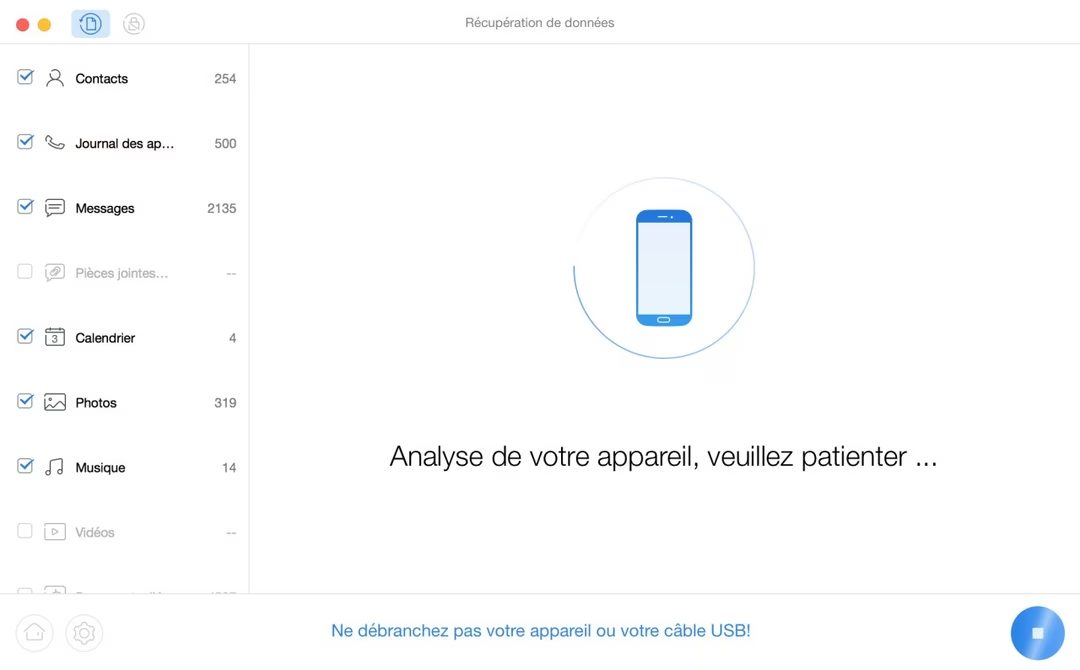
There is no recovery software installed on the phone. This is the first rule. PhoneRescue Android runs on your desktop or Mac and analyzes devices connected via USB. This architecture reduces the risk of data overwriting. It also simplifies selective recovery. Please check your settings before you consider downloading. Requires a reliable USB cable. Free disk space is required to store the recovered files. You need to enable USB Debugging when prompted on your Android device.
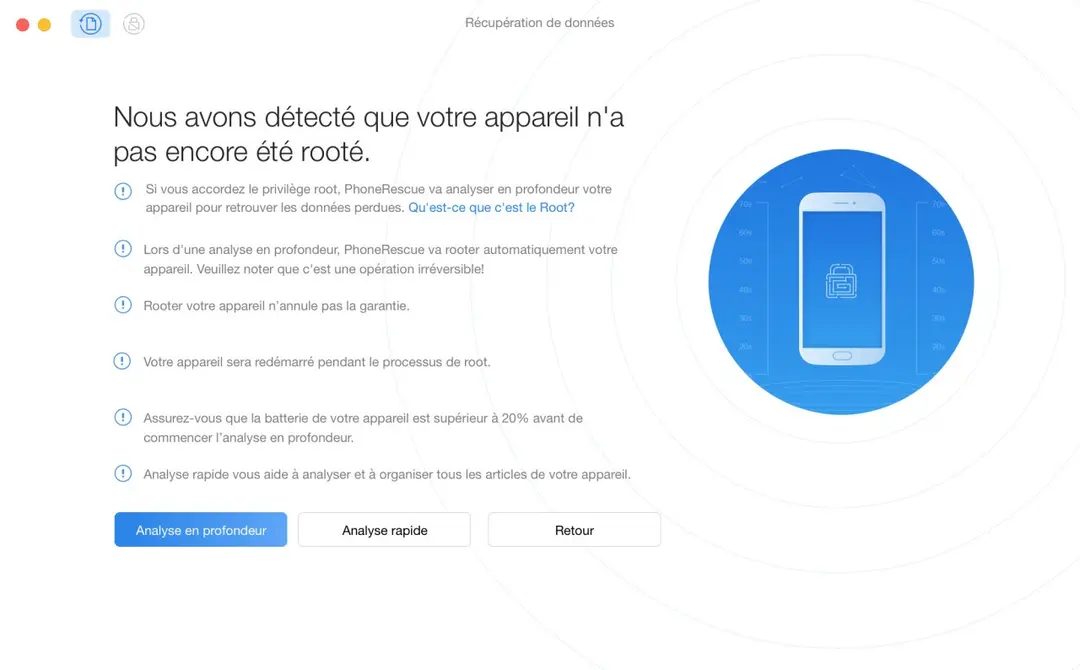
The process is local. The software will scan your internal memory and SD card. Offers quick scan and deep scan. Running the tool in read-only mode returns the data as is. This protects the integrity of your data. Only internet is required for activation and updates. The actual analysis can be performed offline.
Compatibility and system requirements
iMobie Inc. built this utility for Windows and macOS. Covers several different brands of smartphones and tablets. This software is multilingual and covers French, English and more. 64-bit architecture is recommended for better performance. An ordinary PC is enough. No special equipment other than the basic equipment is needed.
What devices are supported? The list is long. However, if you’re not sure about your specific model, check the publisher’s compatibility list. This is the safest way. This tool can handle multiple Android versions. Observe device restrictions. If possible, refuse to write on the phone. This read-only approach is non-negotiable when it comes to security.
What can you actually recover?
This software targets specific data types. Contact information. SMS and MMS. Call history. Photos. Videos. Audio files. Documents. WhatsApp data is also included, but success depends on your device. The analysis method determines what you see. Scanning the internal memory usually gives better results than scanning the SD card for deleted items. Why? The internal storage uses flash memory with wear-leveling algorithms, which makes it difficult to quickly undo deletions.
Can I preview before paying? Yes. The trial allows analysis and preview. You can check these files. You cannot export without a license. This business model includes a free trial period. It helps you make sure your information is there before you spend money.
Installation and support
Download from trusted sources. Futura Software Library is considered a reliable supplier. This ensures the integrity of the installation. You also get access to official updates. The software manages its own updates. Support includes guides, FAQs, and direct help from the publisher.
There are limitations. Although this experiment was effective, it also had limitations. Free analysis for you. You can preview it for free. You pay to recover. This is standard for tools of this type. Prevents abuse and allows users to test the waters.
The environment is important. Configure using a stable connection. Detach and scan if necessary. Make sure the cable is properly connected. Loose connections can cause the deep scan to be interrupted. be patient. Deep scanning takes time. They are very thorough.
Is it worth it? It depends on the value of the data lost. This may not apply to random photos. There is usually a reasonable price for important contacts and work documents. This tool does not guarantee 100% recovery. No tool does. It increases the odds. It does the heavy lifting. Just pull the trigger.
And then you wait.
Hidden costs of free software
The price tag may be zero, but the invoice is always due. Skipping the upfront cash often comes at the expense of privacy and convenience. This is not a conspiracy theory. This is the basic economics of digital attention.
Most users don’t even realize they are the product. Are there any “free” apps on your phone? They are data miners. All clicks, location pings and search queries are collected. Sold to advertisers who know you better than your spouse.
Why privacy is more important than ever
We have normalized monitoring. This is built into the operating system. You click “Accept all cookies” without reading the text. Why? Because the other option is to block the site entirely. It’s a lose-lose situation.
But now the stakes are even higher. Identity theft. Financial fraud. A targeted scam feels personal because they are personal. When companies know where you sleep, what you buy and who you love, that information becomes a liability. If they get breached, you’re left holding the bag.
How to Protect Yourself Without Paying
您不需要企业级安全性。 您需要basic hygiene。
- 使用广告拦截器。 这不仅仅是速度的问题。 这是为了阻止跟踪者。
- 启用双因素身份验证。 再次。 对于每个帐户。 即使是那些无聊的。
- Read the permissions。 该手电筒应用程序是否需要访问您的联系人? 不,撤销它。
- 首选开源替代方案。 如果可能的话。 它们经过数百万人的审核,而不是隐藏在专有的黑匣子后面。
The Trade-Off: Convenience vs. Control
这就是问题所在。 开源或注重隐私的工具通常感觉很笨重。 界面没有那么精美。 入职并不那么顺利。 你必须“做”某事。 配置设置。 管理更新。
值得吗? 对于大多数人来说,是的。 对于只想发送电子邮件的临时用户来说,也许不需要。 但每次你为了轻松而牺牲控制权时,你就会扩大攻击面。
最安全的系统是您不使用的系统。 但你必须使用一些东西。
Where to Start Today
你无法保证一切的安全。 您无法监控每一次数据泄露。 选择你的战斗。
从您的主要电子邮件开始。 切换到不扫描您的消息的提供商。 然后是你的浏览器。 放弃默认设置。 使用一种可以阻止指纹识别的工具。 然后你的手机。 检查这些应用程序权限。 再次。
这很乏味。 这很烦人。 但这是在一个旨在夺取一切的系统中收回一小部分代理权的唯一方法。
账单总是到期的。 您只需选择付款方式即可。