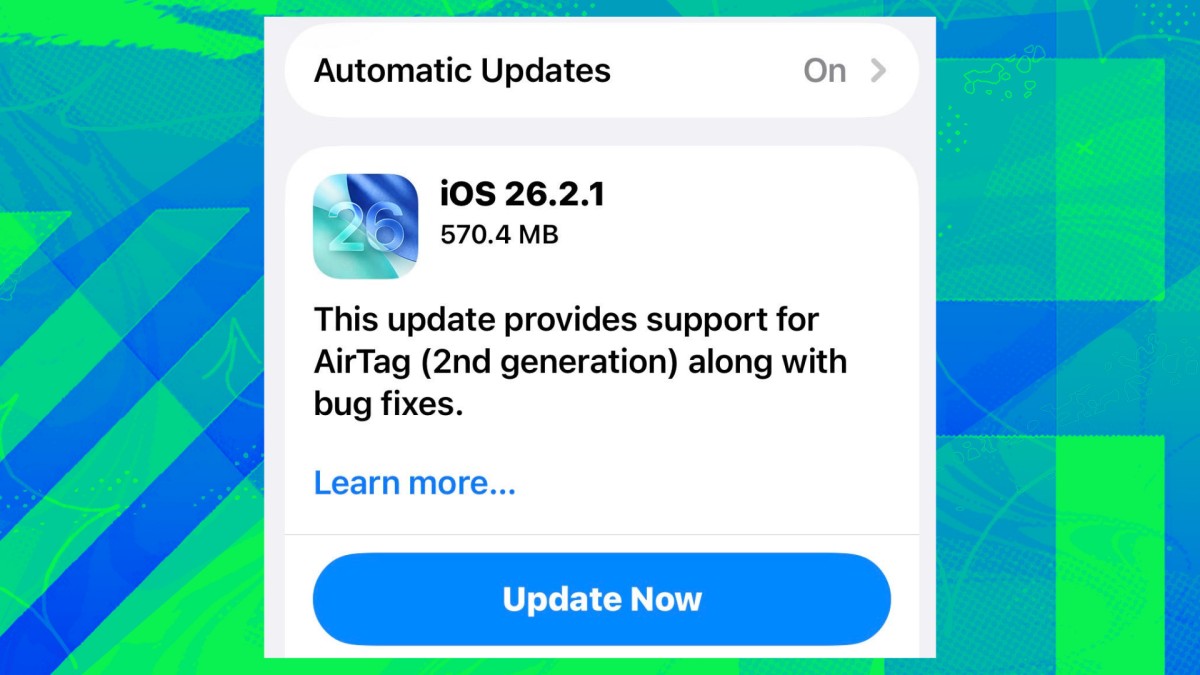
Apple has launched iOS 26.2.1, a minor update primarily designed to enable compatibility with the newly released AirTag (2nd generation). The update is available now for eligible iPhones and iPads.
AirTag 2: What’s New?
The AirTag 2 builds upon the original tracking device with key improvements. These include:
- Enhanced Sound: A significantly louder speaker makes locating items easier.
- Extended Range: Increased Bluetooth connectivity extends the tracking radius.
- Precision Finding: Refined precision-tracking guides users to lost items with improved accuracy, down to the foot.
For users planning to purchase the AirTag 2, updating to iOS 26.2.1 is necessary to take full advantage of the new features. The AirTag 2 is priced similarly to the first-generation model, which is currently discounted on platforms like Amazon.
A Light Update With a Focus on Compatibility
While most iOS updates include security patches, this release focuses almost entirely on AirTag 2 support. Apple’s official description notes only “support for AirTag (2nd generation) along with bug fixes.”
The omission of security updates is unusual, though Apple does state that unspecified bug fixes are included. Tech enthusiasts can find detailed breakdowns of these tweaks from sources like @onejailbreak_.
Liquid Glass and iOS 26 Issues
The iOS 26 family of updates has been met with controversy, particularly regarding the performance of Liquid Glass and reported battery drain. While iOS 26.2.1 aims to address some of these issues, users should monitor for improvements after installation.
How to Update
Updating is simple:
- Open Settings on your iPhone or iPad.
- Tap General.
- Select Software Update.
- Choose Update Now to install iOS 26.2.1 immediately, or schedule it for later.
The release of iOS 26.2.1 underscores Apple’s commitment to maintaining compatibility with its accessories and ensuring a smooth user experience for its latest hardware. While this update is not groundbreaking, it is essential for AirTag 2 owners to unlock the full potential of their new device.