BitTorrent isn’t just a protocol; it’s a whole ecosystem. If you want to use it, you aren’t just downloading a file. You’re setting up a node. The process is straightforward, but ignoring the network configuration will tank your speeds. You need the client, you need to open the right ports, and you need to understand that the work doesn’t stop when the download finishes.
Here is the breakdown of what actually happens when you go peer-to-peer:
- Get the client software.
- Open ports on your firewall or router.
- Locate a .torrent file.
- Let the software swarm pieces together.
- Keep seeding after you’re done.
Getting the Client
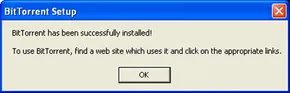
BitTorrent is open-source software. That means the code is free. It also means developers have forked it. You have choices. This guide assumes you’re using the official BitTorrent client found at BitTorrent.com. Pick the version that matches your operating system. Download it. Install it. It’s quick.
Bram Cohen, the creator, still puts donations on the page. He gives this away for free. But he doesn’t force you to use his specific client. If you want to experiment with alternatives, you’ll need to look elsewhere for a list. Stick with the official one if you want the standard experience.
Opening the Firewall
A firewall is a gatekeeper. It stops strangers from knocking on your digital doors. It does this by blocking unauthorized access to specific ports. Ports are just numbers. Each number corresponds to a type of communication. Web traffic uses one. Email uses another. BitTorrent uses its own.
By default, firewalls block BitTorrent traffic. If you don’t change this, your download speeds will be abysmal. You need to tell the firewall to let BitTorrent in.
The software typically uses ports 6881 through 6889. These are the standard numbers. You need to configure your firewall to accept incoming traffic on these ports. You might also need to set up port forwarding on your router. This maps your computer’s IP address to those ports so other peers can find you.
Every router is different. The documentation for your specific hardware is the only real authority here. If you’re stuck, PortForward.com is a decent resource. But you have to do the legwork.
Is It Legal?
BitTorrent itself is legal. The protocol is just a way to move data. What you move is the issue. Downloading copyrighted material is illegal in most countries. If the file is protected, you’re breaking the law. The technology doesn’t care. The law does.
Finding and Downloading
Once the ports are open, you can start looking for files. You’ll use a .torrent pointer file. This isn’t the actual movie or game. It’s a map. It tells the client where to find the pieces of the file scattered across other computers.
When you open the .torrent file, BitTorrent starts connecting to peers. It requests small pieces of the total file. As it receives pieces, it immediately starts uploading them to others who need them. It’s a swarm. You take, you give.
Don’t close the app once the download hits 100%. You need to stay connected. If you stop seeding, you’re taking more than you’re giving. The network relies on this reciprocity. Without it, the system collapses.
The setup takes ten minutes. The mindset takes longer. Are you ready to be part of the infrastructure, or just a consumer? The hardware doesn’t care. The network does.