You start following your friends. Then you added local stores to get coupons. Now you’re chasing celebrities and niche hashtags. The feed is a blur. It is too much.
Twitter was founded in 2006 as a simple microblogging platform. You post short updates. Share a link or photo. It was meant to be low-friction. Today, it is a high-velocity data stream.
Most users follow people they know. However, the utility of the platform has expanded. Almost every celebrity has an account. They use this to bypass traditional media and speak directly to their fans. It is engaging. It is fun. It is very noisy.
Local dentists. International retail chains. They are all there. Some even share real-time discounts. Others broadcast corporate news. I am adding these because I believe they will give you immediate value. So you wonder why your phone vibrates every 4 minutes?
Volume is a problem. Many accounts tweet less than once a day. They tweet every hour. In some cases it is faster. When you follow hundreds of sources, your feed becomes a wall of text. You can’t read everything.
This overload is not new. This is the main reason why people abandon the service. They get tired. They mute notifications. They log off. They never come back.
There are better ways than quitting. No need to delete the app. All you have to do is manage the input. Twitter itself offers tools to filter out the noise. Third-party apps can help you organize the chaos.
The goal is to make the experience useful again. Streamline your feed, whether you’re using a desktop or mobile device. It requires work. But the payoff is control.
Start with the web interface. Before you worry about apps, learn how to manipulate what you see.
Tips and tools for managing your Twitter feed
The algorithm is designed to keep scrolling. If you follow one account and then another, the suggestion engine will immediately start feeding you people your connections follow. Then, when someone follows you back, you feel a social obligation to return the gesture. Before you know it, your timeline is filled with brands, celebrities, and random acquaintances. You don’t read anymore. Just search the haystack for relevant content.
Here’s the hard truth: Twitter is not Facebook. There are no “friends” here. You have follows and accounts you choose to monitor. If someone follows you and their tweets are bore you, drop them. Do not add them again. If the celebrities you follow never recognize you, drop them. The platform doesn’t care about your social etiquette.
Set strict boundaries
Some users have strict limits on the number of follows. Once you reach 1,000 follows, you can’t add new people unless you remove others. This forces curation. Instead of a wild forest where you just walk through your feed, turn it into a garden that needs constant weeding.
Another nuclear option is to make your account private. Only approved Followers can see your tweets. This greatly reduces random direct messages and retweets from people you don’t know. You must approve each new follower manually. While this is great for protecting your privacy, it also has its drawbacks.
If you make your feed private, you can’t reply to companies or celebrities with hashtags.
Private accounts will be blocked if you try to interact with brands or celebrities. They won’t see your reply. You lose visibility. However, when the flow of information is out of control, there are simple ways to reduce confusion while ensuring privacy.
Use the list as a filter
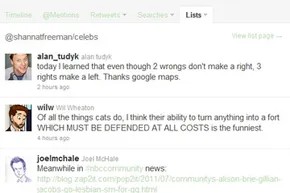
Twitter’s native management tool that most people ignore is the list. Think of lists as separate filtered feeds within the same app. You can assign each account on your main timeline to a specific list. Then, you can toggle between them.
Create a “Family” list. Create a “work”. Create a list of tech news. When I’m busy, I don’t scroll through the main feed. When you open the to-do list, you only see these tweets. This is a priority filter.
To make one, go to any profile. Click the silhouette icon in the upper right corner. Select Add to List. There you can create a new list or add to an existing list. You can also save searches. If you want to see what people are saying about a particular product launch, save that search and check back when you have time. This is a manual curation, but it works.
When the Native Tools are not enough
If you can’t control the algorithm with lists or private accounts alone, you might want to look outside the app. Third-party apps give you more control over your timeline, allowing for tighter filtering and management than Twitter’s native interface.
Managing Your Twitter Feed with Third-Party Applications
As of July 2011, Twitter had over one million third-party applications registered. This figure is amazing. That begs the question. How can you sift through the noise to find the content that really helps you manage high update volumes? Most of these applications work as browser-based dashboards or desktop programs. These mirror the core Twitter experience, but give you control over what the experience looks like. You don’t have to stick with Twitter’s default layout. Organize your feed to fit your workflow.
TweetDeck vs HootSuite vs Seesmic
The most popular entry in this field is TweetDeck. It is column based. You can create columns for specific lists, trending topics, saved searches, or direct mentions. If you work with several accounts at the same time, you can view them side by side. Supports Windows 7, Mac OS, Linux and mobile devices such as iPhone, iPad and Android. It also integrates with Facebook and Foursquare. This is the unified hub.
HootSuite works the same way, but it’s located in the browser. There is also a desktop client, but the main attraction is the online version. Like TweetDeck, it uses columns for listing and searching. Add to that Facebook and LinkedIn. However, the pricing model is different. HootSuite offers a free basic version and a paid professional version. TweetDeck was free at the time.
Seesmic is another candidate. It’s free. Available in web and desktop versions. Works on multiple platforms. Given the similarities, you can download all three. They have obvious advantages and disadvantages. Their user base is passionate. Try them out and see which interface works best for you.
Filter and clean your timeline
If you just want to clean up your feed, you don’t need a full dashboard. A small tool can solve this problem. When you have hundreds of followers, it’s a pain to keep track of who’s still following you.
Tools like Manage Flitter and Social Oomph can help you solve this problem. They scan your follower list. You see people who don’t follow you. The activity level is also shown. If someone is silent for a few months, you can cut them off. This leads to less guesswork in the future.
Next is the filtering process. Twalala and Destroy Twitter behave differently. They don’t unfollow. They mute the content. You can filter specific words or phrases. You can also mute people who tweet frequently without unfollowing them. This allows you to cancel the noise and maintain the connection. Most of these utilities are web-based. They are free. unlike the big clients, they are usually Twitter-specific.
Manage your Twitter feed on your mobile device
If you have a smartphone and a Twitter account, it’s a good idea to send messages from the same device. Of course, there is also an official app. They cover the basics. However, user adoption has been variable. Some people love them. Some think it’s clunky.
Desktop tools like TweetDeck have set the standard for feed management for years. This feature is gradually moving to mobile devices. TweetCaster is one example. Provides full functionality and special management tools. The “zip it” feature is a standout feature. Hide a specific user’s Tweets without unfollowing them. This can save relationships. Keep the feed clean.
Most apps offer free tier with limited functionality. Our basic promise remains the same. It’s about control over your timeline better. This is how they are distributed by operating system:
iOS users and jailbreak routes
The latest official Twitter app for Apple devices introduces the ‘Quick Bar’. It’s at the top of the screen. Show trending topics. It takes up valuable screen space. Scroll through your feed and it gets in the way.
Some users don’t like this and jailbreak their devices. The goal? Install Twizzler. This tweak removes the quickbar completely. This is a niche solution for power users who want a cleaner interface.
However, you don’t have to void your warranty to get a better tool. Several third-party applications dominate the iOS environment.
- Twitterific : Powerful filtering feature. You can mute specific people or trending topics.
- Echofon : Focuses on noise reduction. Provides powerful mute functions for the people you follow.
- Tweetlist : Built for organization. View lists and switch between them instantly.
Blackberry and Android: filtering and previewing
The official BlackBerry Twitter app is still surprisingly popular. Handles list management very well. If you want more features, there are third-party options.
UberSocial is a competitor. Create separate timelines based on filters. There is also an “inner circle” filter for close friends. This will help you prioritize what is really important to you.
SocialScope takes a different approach. You can save searches and lists. Browse smoothly. It also integrates with Facebook, but the feature is currently in beta.
Android users are having a tough time. Many people complained that the official app was slow. Difficult to change filters. The app doesn’t always show the feed timeline on startup. This is the sticking point.
Here’s how to fix it:
- Plume (formerly Touiteur): Sort people and topics by color. You can filter the list or mute certain topics. It combines visual organization and functional filtering.
- Twidryod : Inherit Plume’s functionality and add LivePreview. This allows you to display links and media alongside tweets. No need to click through to see what you’re ignoring.
Windows Phone 7: Multiple account issues
The official Twitter app for Windows Phone 7 has one glaring limitation. Multiple Twitter accounts are not supported. This is a clunky problem for users who keep their personal and professional lives separate.
I’ll have to look elsewhere.
Birdsong solves the account issue. Manage multiple lists and timelines. You can also infinite scrolling through your feed. That feels native.
Twoziac offers a unique perspective on data. Unlike other apps, the list is displayed differently. Can be viewed regularly as a histogram or cloud. Good for people who want to visualize social graphs instead of just reading them.
Why is this important now?
Gone are the days of “one size fits all”. The “official” application is the starting point. it works. However, it rarely excels at customizing.
Third-party apps fill this gap. Add features like color coding, live preview, and infinite scrolling. They give you control.
You no longer need to jailbreak your phone to get a better Twitter experience. You just need to choose the right tool for your platform.
Landscapes change quickly. Apps get updated. Features get deprecated. However, the demand for curated feed is constant.
If your current app feels heavy, slow, or too rigid, switch. Try Twitterific on iOS. Try Plume on Android. See if the timeline feels lighter.
No app is perfect. Only one fits your workflow.
Ecosystem explosion
The landscape is not only crowded. It explodes. By July 2011, Twitter had crossed a psychological and technological milestone. This platform hosts 1 million registered 3rd party apps. That number alone should scare off those who argue that official client are the only way forward. This proves that users were voting for the download.
Why is this important? Because it means a change in power. “Official” apps are no longer gatekeepers. This is just one player out of many to choose from.
Noise control
With so much traffic that my feed was messed up. That’s why tools like HootSuite and TweetDeck are essential infrastructure. It’s not just about showing tweets. they organized them.
“Twitter feed management and filtering” is more than just a title. This is a survival guide.
Without these dashboards, a single follow list can be overwhelming. HootSuite allows users to manage multiple accounts from a single window. TweetDeck offers search, mention and list columns. It turned chaos into a spreadsheet-like user interface.
For brands, this is non-negotiable. For regular users? It’s a about sanity. Echofon aims to simplify this process by building management functions directly into the browser. This is a different approach. Less desktop-heavy. More integrated.
Platform battle
You can’t talk about this era without talking about devices. Android and iOS are fighting for supremacy. These apps reflect this war.
Android offers a lot of options. Birdie, Tweetcaster and Twidroyd compete for attention. Everyone claims better speed or better design. Android users want flexibility. The system allows it.
iOS was tighter. But the demand is just as great. Twitterrific by The Iconfactory is the premium choice. This costs money. It feels sophisticated. It handled media uploads better than others. Seesmic, on the other hand, aims to win with its unique gesture-heavy interface. It was bold. This is controversial.
Windows Phone 7 was the new kid. Apps like Red Badger’s Birdsong have been born to fill this gap. Their number is much smaller. But they show that Twitter’s reach was expanding beyond what is commonly imagined.
Curating your reality
It’s a mistake to follow everyone. This is the lesson of 2011.
Tools like Manage Flitter and SocialOomph solve the “follower cleanup” problem. You follow 5,000 people. 2,000 of them haven’t posted for months. Even worse, they are spam. These tools identified dormant accounts. You can unfollow people in batches. It wasn’t malicious. This is hygiene.
Then there’s DestroyTwitter. A more extreme approach. This helps users remove themselves from a list they don’t want to be on. It’s about reclaiming the timeline. Who controls your feed? You or the algorithm? In 2011, you have a choice to make.
The decline of the standalone
Check out today’s list. Many are gone. Seesmic folded. Touiteur (Plume) disappeared without a trace. UberSocial is a memory.
Why do so many people fail? The API has changed. Twitter tightens its control. The … era of “free and open” days of third-party development.
But the effect remains. The features introduced in these applications (cards, direct messages, multimedia previews) were eventually brought to the official client as well. The user base wants it. Developers have proven that it is possible. It was later copied by the official team.
Not all of the millions of applications made it through. But these ideas did. The failures and successes of the summer of 2011 shaped the way we consume Twitter today. It was chaotic. It was innovative. It was brief.