


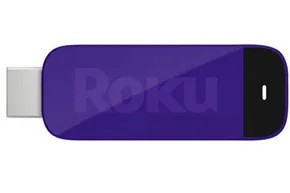
Roku has managed to shrink a full-featured media hub into something you could lose in your pocket. The Roku Streaming Stick takes the guts of the standard Roku box and compresses them into a form factor that barely interrupts your TV’s profile. It’s basically a thumb drive with a brain.
There are two distinct versions floating around. The original, now branded as Roku Ready, uses an MHL connection. The newer model relies on standard HDMI. Both do the heavy lifting of streaming movies, music, and shows over your home Wi-Fi. They save you from cluttering up your entertainment center with a bulky box. But getting one to work properly depends entirely on what ports your TV actually has.
How the Roku Streaming Stick Handles Video and Audio
Don’t let the small size fool you. These sticks pump out up to 1080p HD resolution. If your content supports it, you also get digital audio pass-through for 5.1 or 7.1 surround sound via HDMI.
Wi-Fi is non-negotiable. Both versions support 802.11a/b/g/n dual-band connections. The faster your signal, the less buffering you’ll deal with. Roku sets a pretty low bar for entry though. They suggest a minimum of 1.5 Mbps for standard definition and 3.0 Mbps for HD. Most modern households clear that hurdle easily.
MHL vs HDMI: Which Roku Streaming Stick Do You Need?
This is where things get tricky for consumers. You need to know what kind of port is behind your TV screen.
The Roku Ready (MHL) Version
Released back in 2012, this is the original Roku Streaming Stick. It measures roughly 2.7 by 1 by 0.4 inches. It plugs directly into an MHL port on your TV.
MHL stands for Mobile High-Definition Link. It’s a standard that allows mobile devices to output high-definition video. For the Roku Stick, it’s a two-for-one deal. The port provides both the video signal and the power. You don’t need a wall adapter. You don’t need a USB cable. It just hangs there, invisible.
It also leverages Consumer Electronics Control (CEC). This means you might not even need the Roku remote. If your TV supports CEC, you can use your TV’s own remote to control playback. You can buy a separate Roku remote if you want one, but for many, it’s unnecessary clutter.
The catch? MHL ports are disappearing. They are relatively rare on new TVs. You have to check if your specific model is Roku Ready certified or lists MHL support on the manufacturer’s spec sheet.
The New HDMI Version
The newer stick is slightly larger at 3.1 by 1.1 by 0.5 inches. It plugs directly into a standard HDMI port. Since every modern HDTV has HDMI, compatibility is nearly 100%.
But here is the trade-off. You need power. The device includes a micro-USB port, a USB power cable, and a wall adapter. You can plug it into a wall socket or sometimes a USB port on your TV itself. There is also a reset button near the power input.
It comes with a basic RF remote. No motion sensing. No headphone jack. Just the essentials.
Remote Control and Mobile App Features
If you prefer not to dig through couch cushions for a physical remote, the Roku app works on iOS and Android. It turns your phone or tablet into a controller. You can also use it to “throw” content to the TV.
This isn’t full screen mirroring. You can’t just mirror any app from your phone. Instead, you cast supported content. The Roku Streaming Stick and Roku 3 allow direct casting of Netflix and YouTube videos from your phone. All Roku models support sending locally stored videos, photos, and music to the big screen.
The app got an update to coincide with the new HDMI stick launch. It’s generally easier to use than trying to navigate a physical remote with a tiny trackpad.
Why This Matters for Your Setup
The choice between the Roku Streaming Stick versions comes down to cable management and TV age. If you have an older TV with an MHL port, the Roku Ready version is the cleaner solution. No extra wires. Just plug and play.
If you have a modern TV, you’ll need the HDMI version. It requires a bit more setup with the power brick, but it works everywhere.
Which version fits your living room? Check your ports first. If you can’t find an MHL port, the new HDMI stick is your only real option. The technology has moved on, and MHL is becoming a relic. But for those


