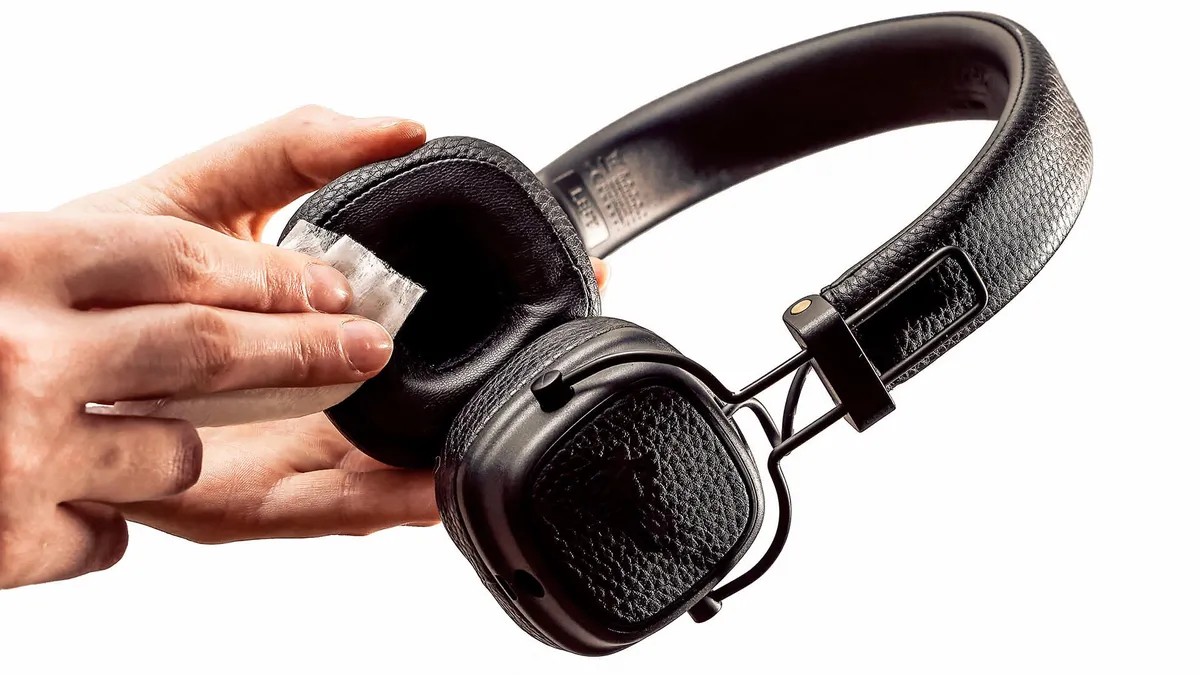
Most users treat their headphones as “set it and forget it” devices, but they are actually among the most frequently touched—and subsequently soiled—items in our daily lives. Over time, earbuds and headphones accumulate a cocktail of earwax, dried sweat, dust, and skin oils.
This buildup is more than just an aesthetic issue; it can lead to bacterial growth that affects ear health and, more importantly, can physically clog the drivers, leading to muffled or diminished sound quality. Because many modern devices use sensitive electronics and specialized coatings, improper cleaning can cause permanent damage.
🧼 Cleaning Wireless Earbuds
Wireless earbuds require a delicate touch due to their small size and exposed mesh components.
1. The Silicone Tips
If your earbuds have removable silicone tips, they should be cleaned separately:
– Soak: Detach the tips and soak them in warm, diluted soapy water for approximately 30 minutes.
– Agitate: For stubborn grime, gently move them around in the water to loosen debris.
– Dry: Rinse them thoroughly, then use a soft cloth or cotton swab to wipe away any remaining residue. Ensure they are completely air-dried before reattaching them to the earbuds.
– Pro Tip: If tips are heavily worn, consider upgrading to memory foam replacements (such as Comply). These often provide a better seal and include mesh protections to prevent wax from reaching the internal drivers.
2. The Speaker and Microphone Mesh
This is the most sensitive part of the device.
– Gentle Brushing: Use a microfiber cloth or a soft-bristled brush to sweep away debris.
– Avoid Pressure: Do not press hard with cotton swabs; doing so can accidentally push earwax deeper into the mesh, making it nearly impossible to remove.
– The “Tack” Method: For stubborn, deep-seated wax, you can use a reusable adhesive putty (like Fun-Tak). Warm the putty in your hands, press it gently against the speaker mesh, and lift. For residue stuck in the edges of the speaker hollow, a wooden toothpick can be used to carefully scrape it away.
3. The Charging Case
Cleaning the earbuds is futile if you place them back into a dirty case.
– Surface Wipe: Use a dry, lint-free microfiber cloth for most of the case.
– Charging Ports: If there is debris in the ports, use compressed air or a soft brush. Never use water or metal tools in the charging port, as this can short-circuit the device or damage the internal wiring.
🎧 Cleaning Over-Ear Headphones
Over-ear models present different challenges, primarily involving larger surface areas and varied materials like leather, velour, or Alcantara.
Material-Specific Care
The golden rule for over-ear headphones is to avoid running them under water, regardless of their IP (water resistance) rating. Most water resistance ratings protect against splashes or sweat, not high-pressure faucet streams.
- Headbands: Wipe the headband with a dry microfiber cloth. If a deeper clean is needed, use a slightly damp cloth.
- Chemical Caution: Avoid rubbing alcohol and most household cleaners, as these can strip protective coatings or degrade materials. If you must use a cleaner, alcohol-free baby wipes are a safer alternative for certain surfaces.
- Specialized Surfaces: If your headphones feature real leather, use a dedicated leather cleaner. For delicate fabrics like velour or Alcantara, avoid using any cleaning products unless specifically approved by the manufacturer, as these materials are easily ruined by liquids.
- Earpads: If the earpads are removable, take them off to clean both the pads and the surfaces behind them.
Important: If you use any cleaning solution, always follow up by wiping the area with a damp cloth to remove chemical residue. Leaving chemicals to air-dry on the surface can accelerate material degradation.
⚠️ Summary of Best Practices
To keep your audio gear in peak condition, keep these principles in mind:
- Never submerge any part of your headphones in water.
- Avoid harsh chemicals like alcohol or abrasive cleaners that can strip coatings.
- Use soft tools (microfiber, soft brushes, wooden toothpicks) to prevent scratches and mechanical damage.
- Prioritize drying to ensure no moisture is trapped near electronic components.
By maintaining a regular cleaning routine, you protect both your auditory health and the longevity of your audio equipment.